If you’re building with AI in 2026 and still burning through paid API credits just to test ideas, there’s a better way.
NVIDIA’s build.nvidia.com is handing out free access to over 80 AI models: no credit card, no subscription, just sign up with your NVIDIA account and grab an API key. We’re talking real models here: MiniMax M2.7, GLM 5.1, Kimi 2.5, DeepSeek-R1, GPT-OSS-120B, Sarvam-M, NVIDIA Nemotron. etc..
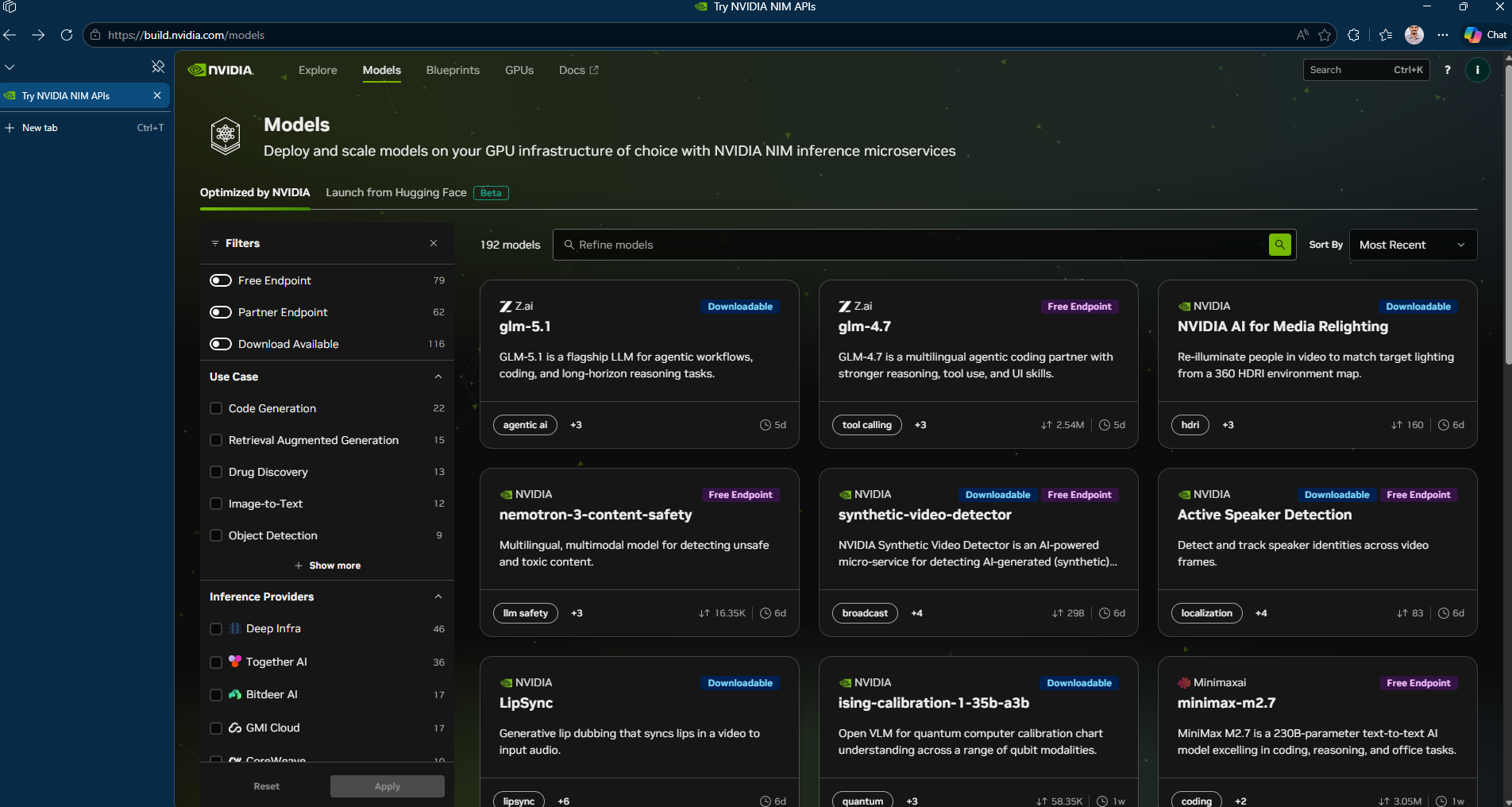
So what exactly is this thing?
Think of build.nvidia.com/models as NVIDIA’s model playground. Under the hood, it runs on NIM—NVIDIA Inference Microservices which packages AI models as optimized, ready-to-deploy containers. You can run them on NVIDIA’s cloud for free testing, download the containers to your own hardware later or scale up through DGX Cloud when you’re ready for production .
Vision models, multimodal models, embedding models, code generators. They’re all in there.
How to Use NVIDIA NIM API for Free
Setting up NIM takes under five minutes. You sign up for the free NVIDIA Developer Program at build.nvidia.com, generate an API key (prefixed nvapi-) and start calling endpoints. The free tier gives you 1,000 inference credits on signup. You can request up to 5,000 total credits. The rate limit is 40 requests per minute.
Because NIM endpoints are OpenAI-compatible, you use the standard openai Python library. you just change the base_url and api_key. Here’s a working example that calls NVIDIA’s Nemotron model:
from openai import OpenAI
client = OpenAI(
  base_url = "https://integrate.api.nvidia.com/v1",
  api_key = "$NVIDIA_API_KEY"
)

completion = client.chat.completions.create(
  model="nvidia/nemotron-3-super-120b-a12b",
  messages=[{"role":"user","content":"What's the capital of Kerala?"}],
  temperature=1,
  top_p=0.95,
  max_tokens=16384,
  extra_body={"chat_template_kwargs":{"enable_thinking":True},"reasoning_budget":16384},
  stream=True
)
for chunk in completion:
  if not chunk.choices:
    continue
  reasoning = getattr(chunk.choices[0].delta, "reasoning_content", None)
  if reasoning:
    print(reasoning, end="")
  if chunk.choices[0].delta.content is not None:
    print(chunk.choices[0].delta.content, end="")
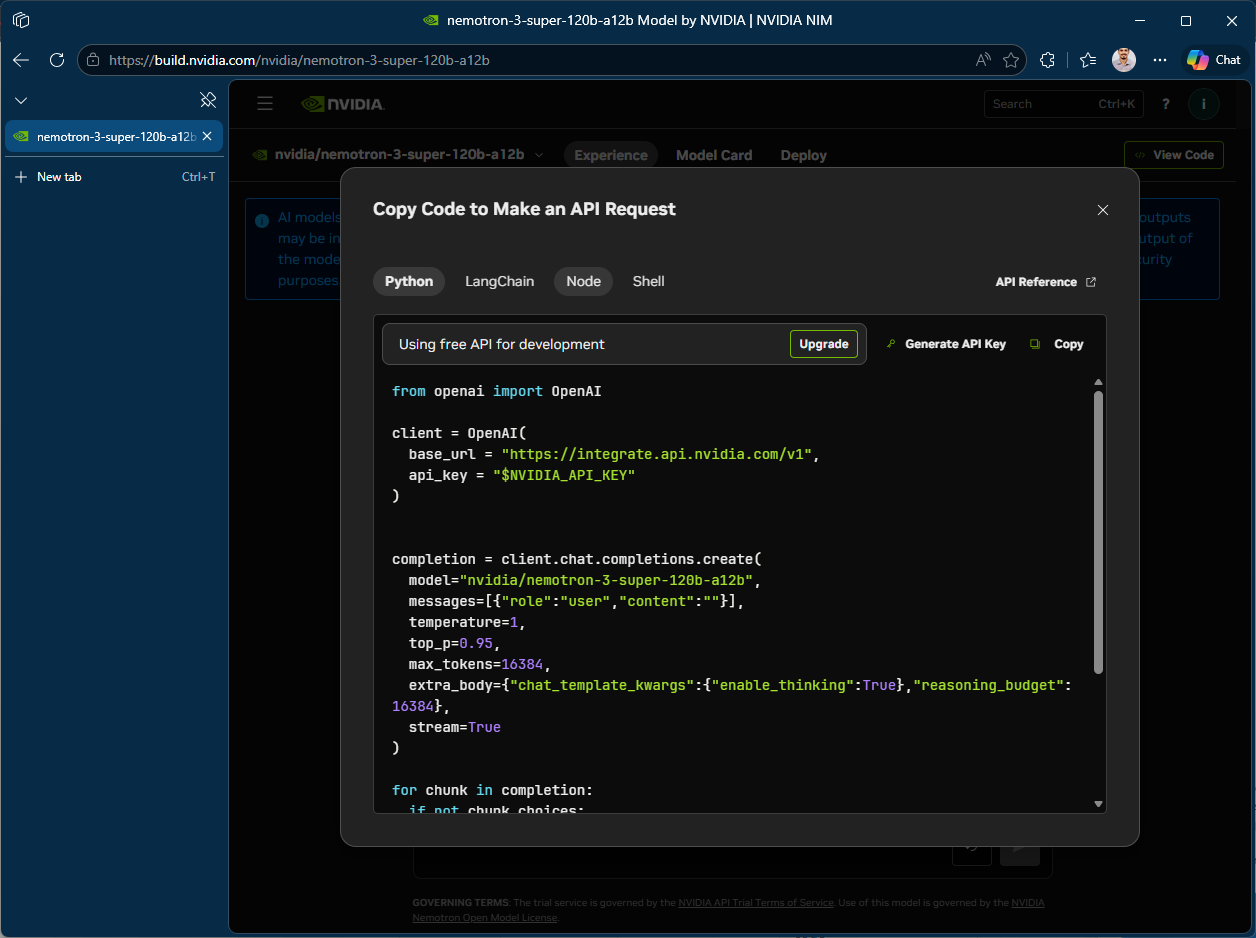
That’s the entire integration. No NVIDIA-specific SDK, no custom auth flow, no container setup. Any codebase that already works with OpenAI’s API can point to NIM by swapping two variables. This matters for teams evaluating multiple LLM providers. You can benchmark NIM-hosted models against OpenAI or Anthropic without rewriting application logic.
It works with Cursor, OpenClaude, OpenCode ect..basically anything that speaks OpenAI’s API format.
Going Beyond the Free Tier
For production workloads where you need control over infrastructure and data residency, NVIDIA provides downloadable NIM containers via the NGC registry. Self-hosted deployment requires an NVIDIA GPU (H100/H200/B200/B300 or RTX for lighter models), Docker and an NGC API key. The free Developer Program license allows self-hosting on up to 16 GPUs for research and development. Production use requires an NVIDIA AI Enterprise license (90-day free trial available).
Keep in mind: API keys from build.nvidia.com are intended for technical verification and prototyping, not production use. For production, you can download NIM containers to self-host or scale through DGX Cloud .
Start small, iterate fast, and scale only when it works. That’s the modern AI playbook.