You find a powerful AI model online via HuggingFace or any. You download it, excited to try it out… and then your system slows to a crawl or worse, freezes completely.
The problem isn’t the model. It’s knowing whether your machine can actually run it.
llmfit solves this. One command shows exactly what works on your machine.
What Is llmfit?
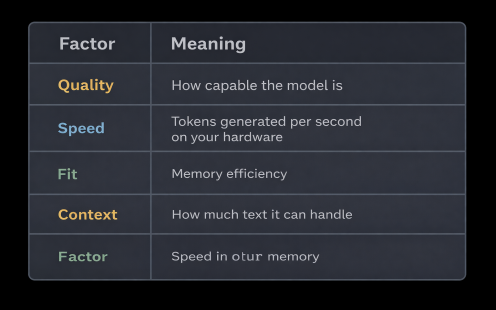
llmfit takes the guesswork out of running AI locally. It scans your hardware and matches it against 879 models from 130+ providers, telling you exactly what will run, how fast it will perform and how good the results will be. It scores every model on four factors:
Why Picking Models Is Tricky
Model sizes lie. Mixtral 8x7B claims 47 billion parameters but only uses 13 billion at runtime. Actual memory need: under 7 GB, not 24 GB.
File compression matters. Q8 gives best quality but needs more space. Q4 balances size and performance. Q2 is smallest but may hurt output quality.
Hardware differs. The same model runs at different speeds on NVIDIA, Apple Silicon or AMD.
For background on how model sizing works, see my article on: https://wisecodes.venuthomas.in/2025/08/24/ai-model-basics-understanding-size-hardware-and-setup/
Installation
# macOS / Linux
brew install llmfit
# Windows
scoop install llmfit
# Any system
curl -fsSL https://llmfit.axjns.dev/install.sh | sh
# Docker
docker run ghcr.io/alexsjones/llmfit
Three Ways to Use llmfit
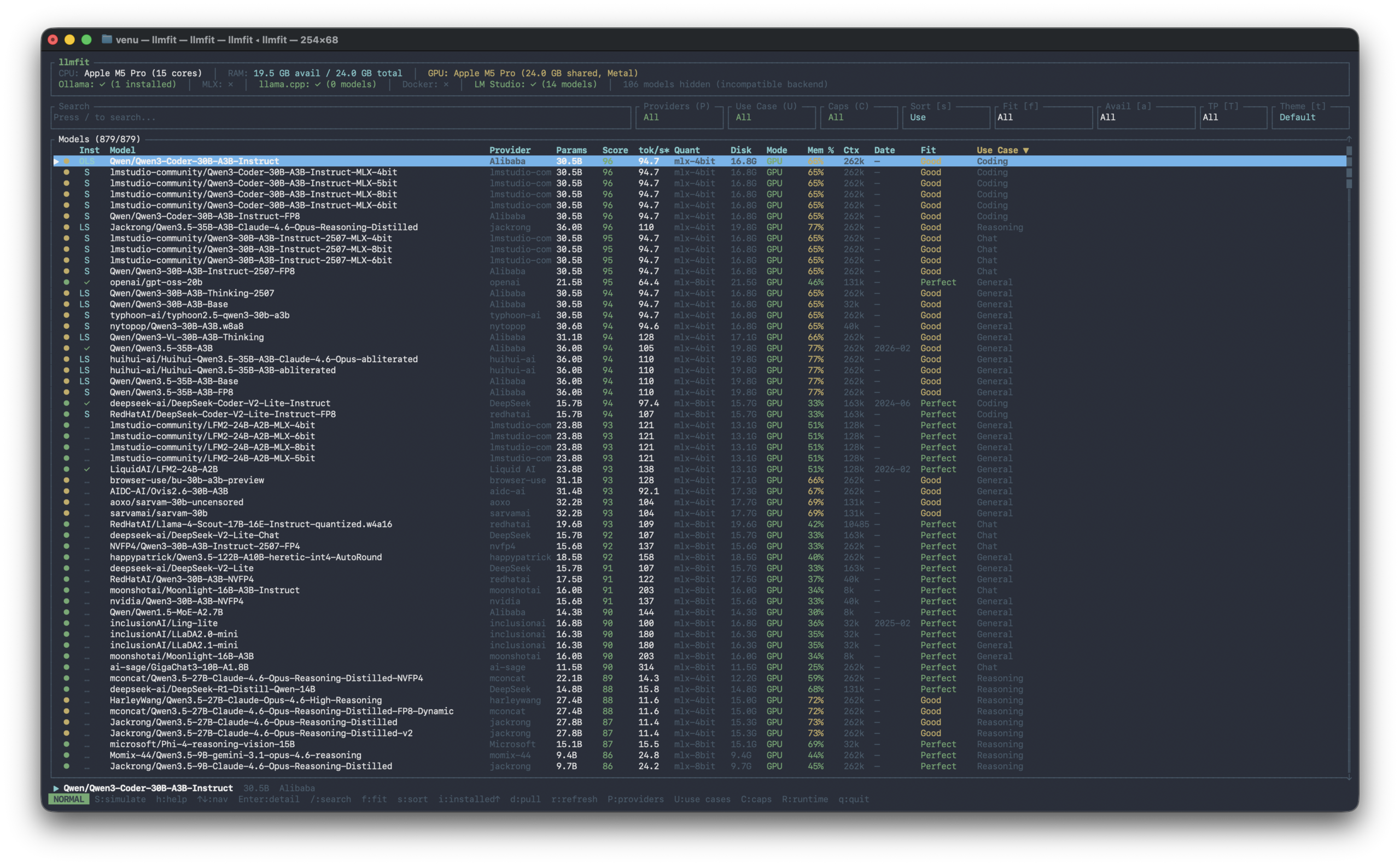
1. Interactive Mode
Run llmfit to open the full-screen interface.
Navigate with arrow keys or j / k, search with /, filter with f and press Enter to see details.
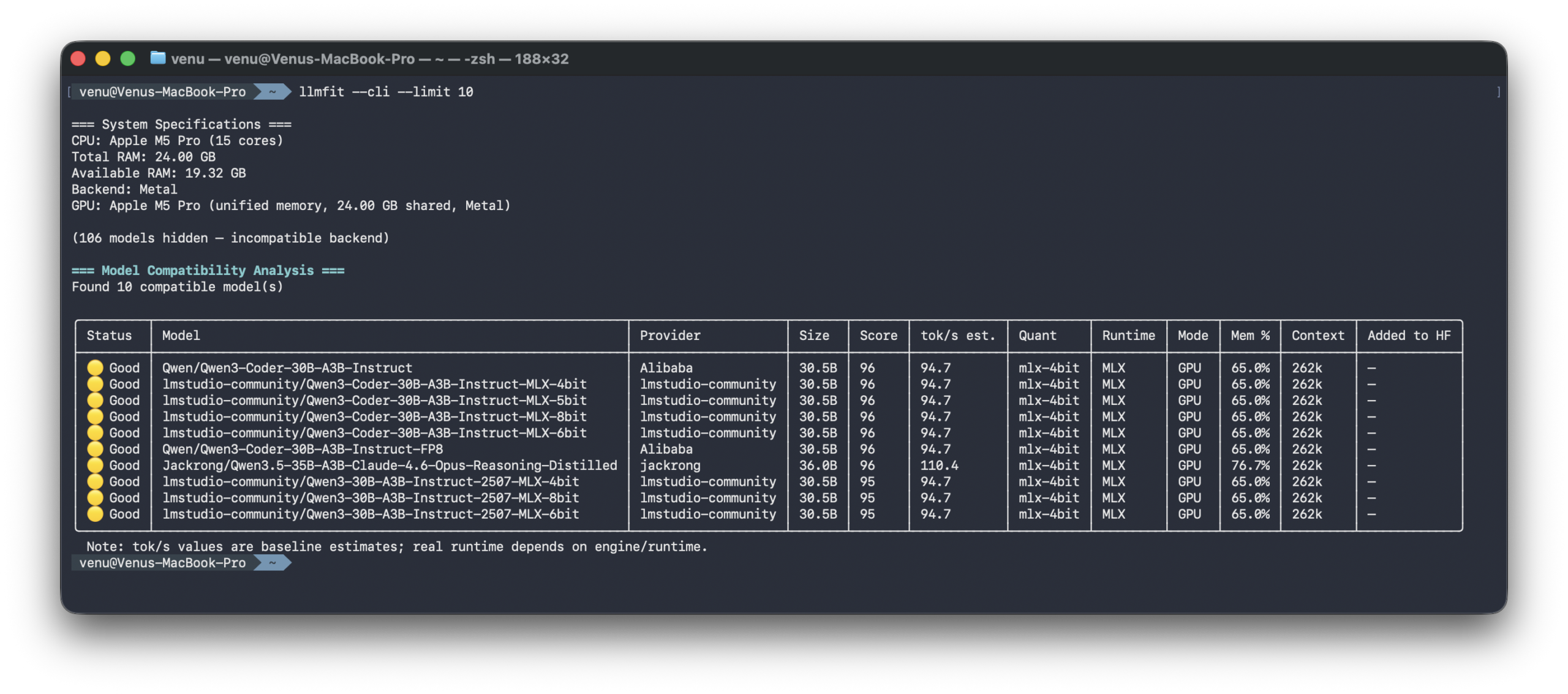
2. Quick CLI Output
Clean table format for quick scanning or scripting.
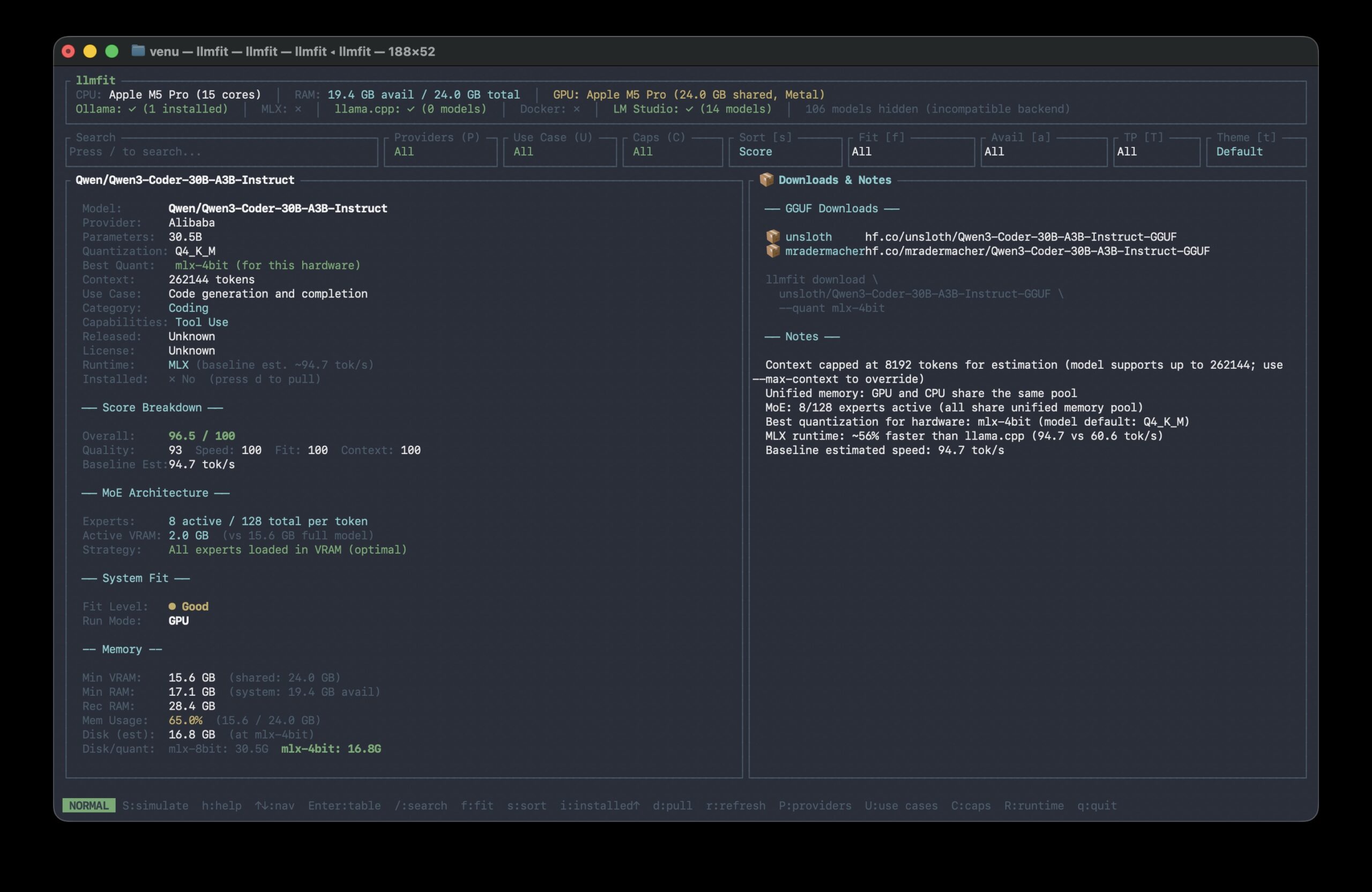
3. Model Details
Press Enter on any model for deep analysis.
See exact memory needs, MoE architecture breakdown, download sources and performance estimates.
Command Cheatsheet
Add –json to any command for machine-readable output.
# Show all models ranked by fit
llmfit --cli
# Only perfectly fitting models, top 5
llmfit fit --perfect -n 5
# Show your system specs
llmfit system
# List all models in the database
llmfit list
# Search by name, provider, or size
llmfit search "gpt-oss-20b"
# Detailed view of a single model
llmfit info gemma-4-31b
# Top 5 recommendations as JSON
llmfit recommend --json --limit 5
# Filter by use case (coding, chat, reasoning, etc.)
llmfit recommend --json --use-case coding --limit 3
# Force a specific runtime
llmfit recommend --force-runtime llamacpp
# Plan hardware needs for a model
llmfit plan "Qwen/Qwen3-4B-MLX-4bit" --context 8192
# Run as a REST API server
llmfit serve --host 0.0.0.0 --port 8787
The Result
No more guesswork. No wasted downloads. No frozen machines.
llmfit tells you what runs, how fast and at what quality… before you download a single file.
Get it: github.com/AlexsJones/llmfit